Dashboard
Use the Grant Frog dashboard as your daily or weekly view to see everything you need to work on.
When you log into Grant Frog, you'll land on your personalized dashboard - think of it as your grant writing mission control!
The Dashboard gives you an instant snapshot of everything that needs your attention, from upcoming deadlines to pending proposals or open tasks.
RECOMMENDATION:
Start your day with the Dashboard to view Tasks, Grant Proposals, or Grant Reports that need your focus.
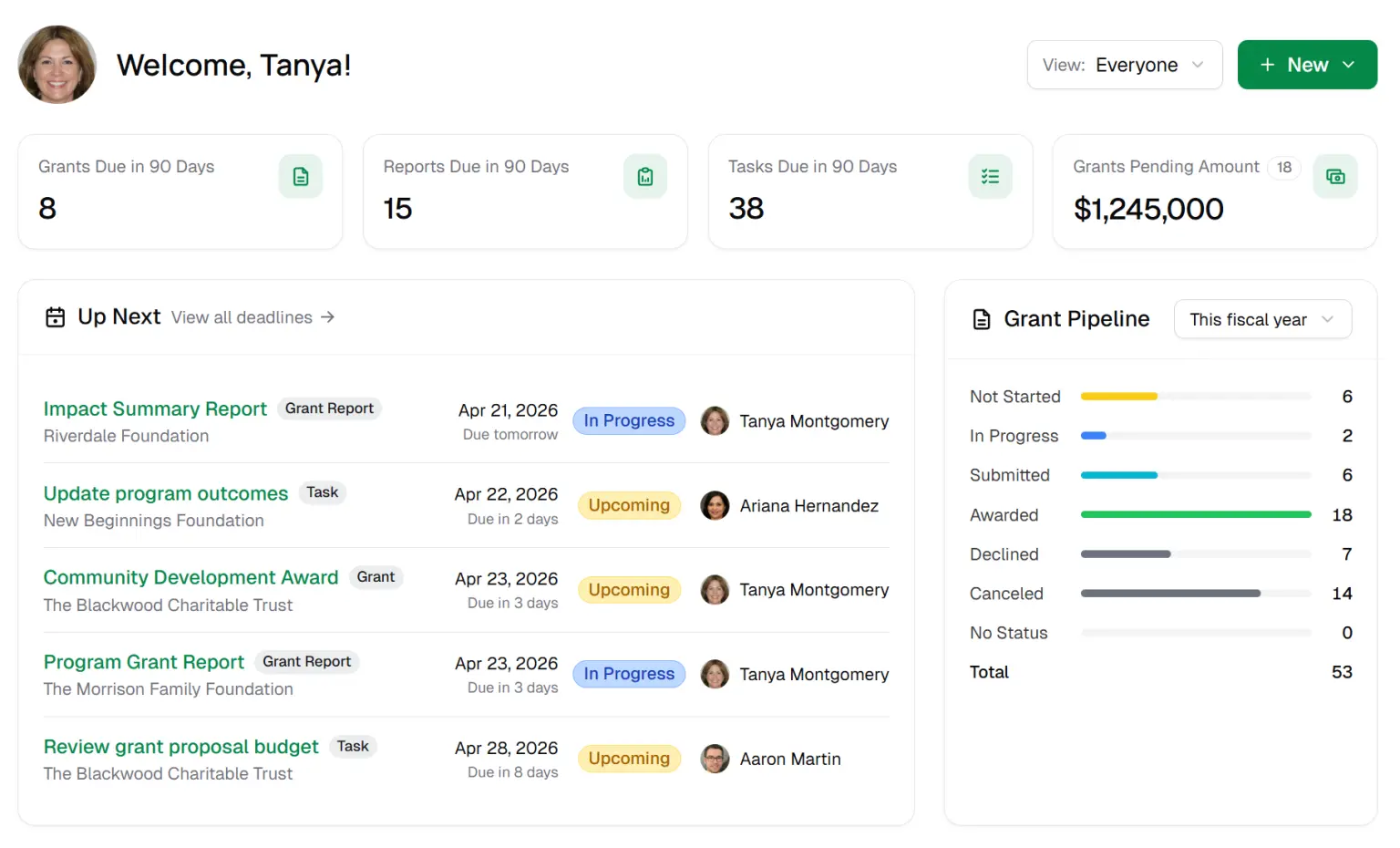
On the Dashboard, you will see your information in Cards. These are what you'll use to guide your days and weeks.
📽️ How to Use the Dashboard
Summary Information on Dashboard
You can quickly see what grant proposals, grant reports, and tasks are due soon with the list views.
We provide a list of your 5 most upcoming deadlines. You can also see any grant, grant report, or task due within 90 days.
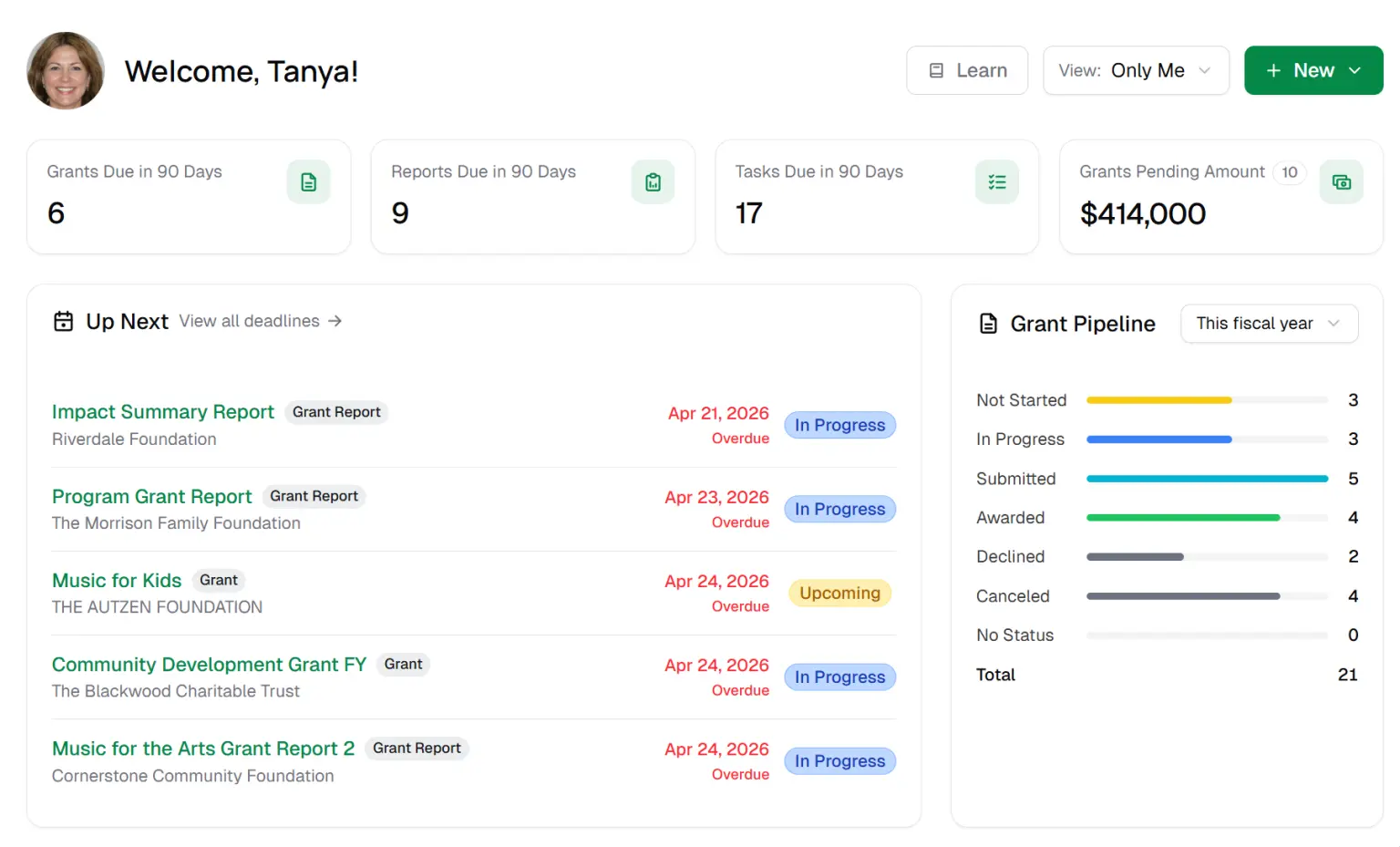
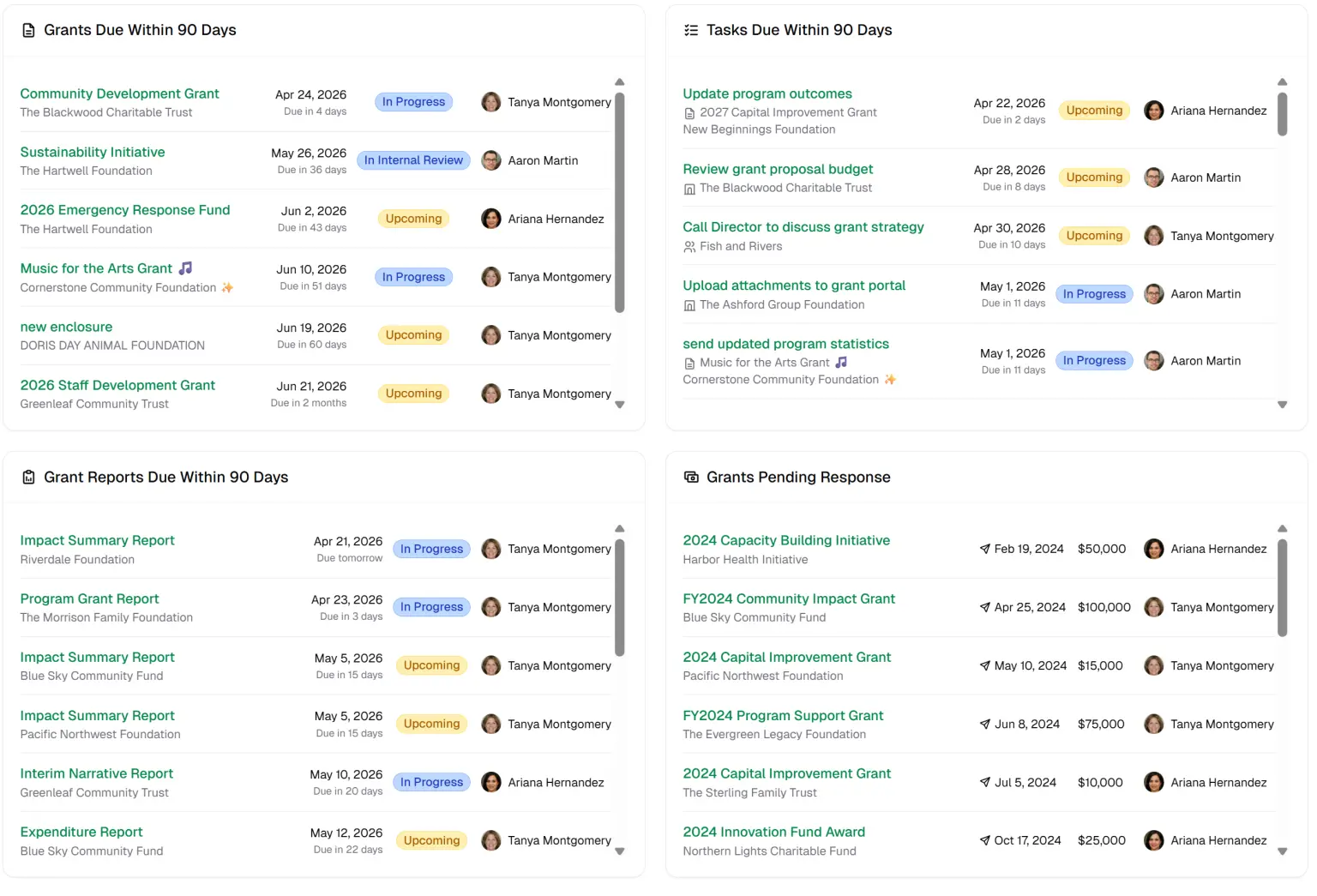
Cards Displayed
Upcoming Deadlines - Your deadlines happening soonest
Grant Pipeline - Your grant totals by status. You can filter these by date.
Tasks Due in 90 Days - Tasks linked to your User account where the Status is one of the following: Up Next, Upcoming, In Progress. Does not include the status of Completed
Grant Proposals Due Within 90 Days - Grant Due Date is within 90 Days and Proposal Status is one of the following: In Progress, Upcoming, Submitted and Pending Response, Deferred, Potential, or To Be Determined
Does not include Received, Declined, No Response, Not a Fit, or Withdrawn
Grant Reports Due Within 90 Days - Grant Reports where the Status is one of the following: In Progress or Upcoming - Does not include the status of Completed
Grant Proposals Pending Response - Grant Proposals where the Status is Submitted and Pending Response
Toggle between the Team Dashboard and the User Dashboard
You can quickly toggle between your team's dashboard and your own dashboard. This makes it easy to see either your entire team and organization's deadlines OR your own deadlines.
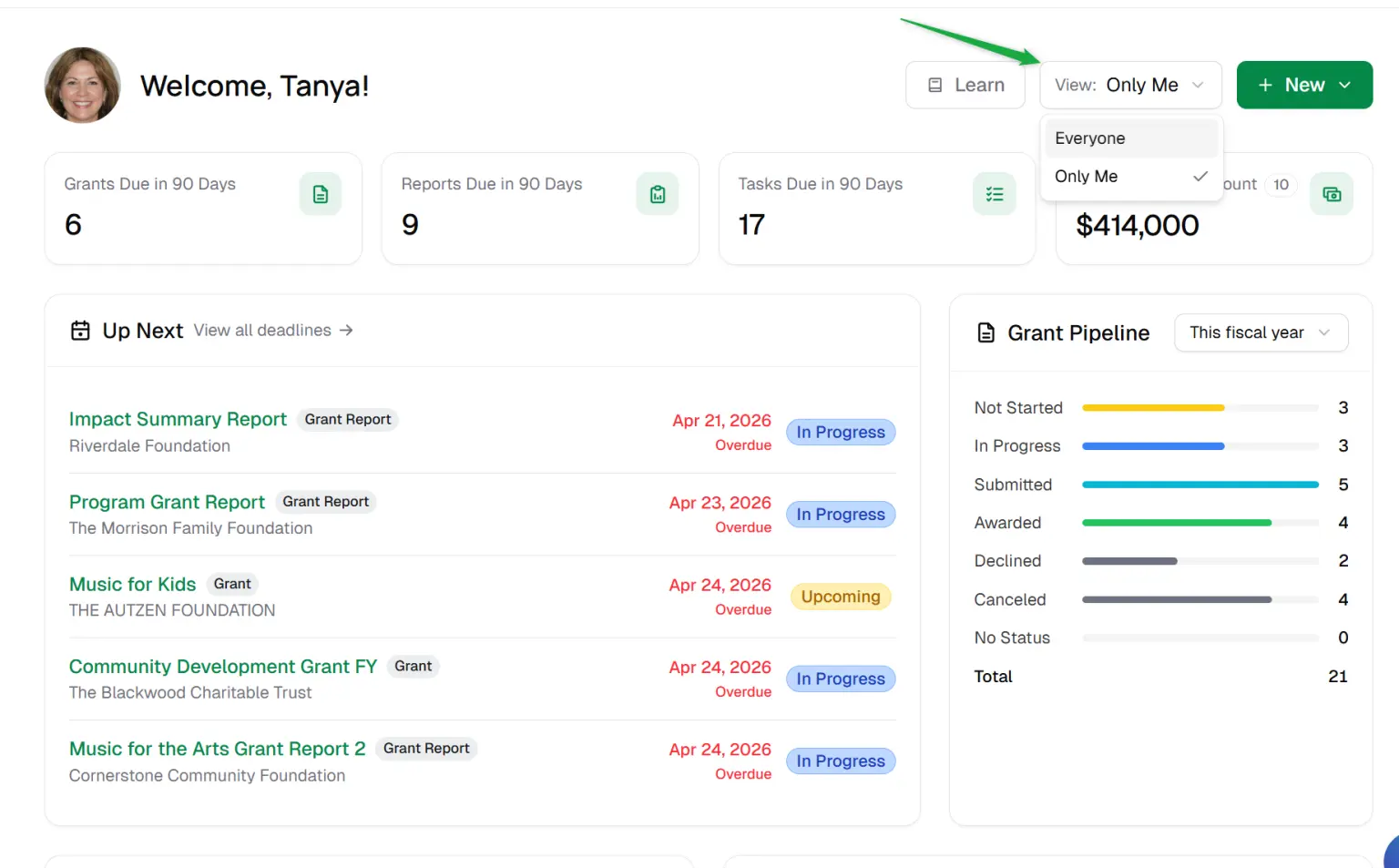
Click the toggle at the top of the Dashboard
Choose Everyone for the entire team or Only Me for only your deadlines